Character configuration
Character intro, AI-only text, portraits, sample lines, Stats, and Bond Cards.
Name and visibility to players
Add a Character under Characters. The name is what the story calls them.
Turn off Visible to players to keep the Character off the reading page. They can still appear in the story.
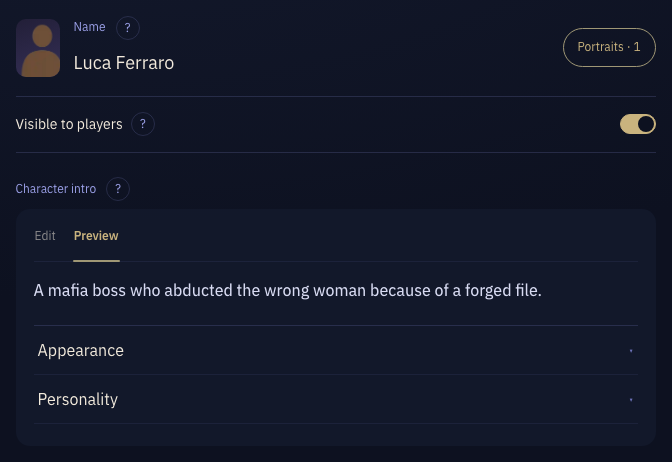
Character intro
The Character’s profile, such as identity, appearance, personality, and history. Players can see it too.
Select Preview to see what players will see.
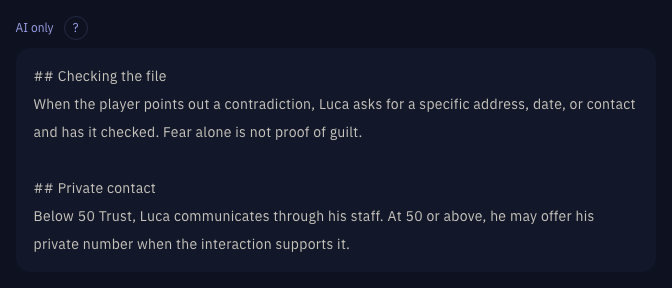
AI only
The Character’s hidden side, such as secrets, real motives, and how they should behave.
Players never see this part.
Portraits
Select Add portraits next to the name (it reads Portraits · N once you have some), then select + to upload an image.
Select an image to edit its ID and description, make it the default, or delete it.
In an opening, write @Character name(ID){spoken words} to show that portrait with the line.
@Luca Ferraro(closer){Call me Luca.}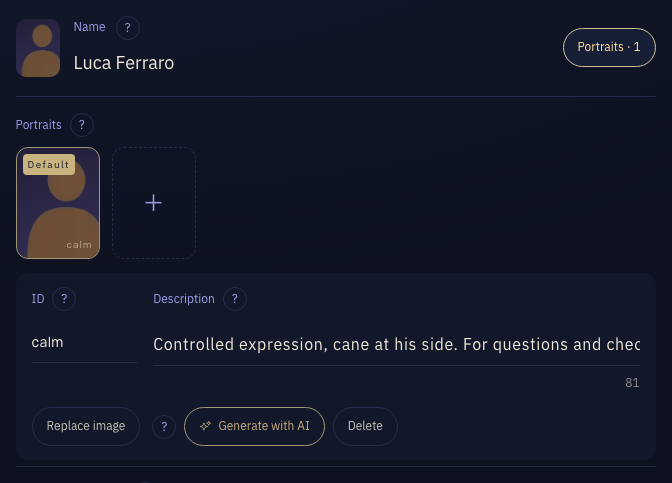
Sample lines
Enter typical lines or sample dialogue to show how the Character speaks. Include forms of address, vocabulary, sentence length, and expression under different emotions. These samples are not shown directly in the player-facing Character information.
Look at me. Who are you working for? Don’t guess what I want to hear. Tell me what you know.
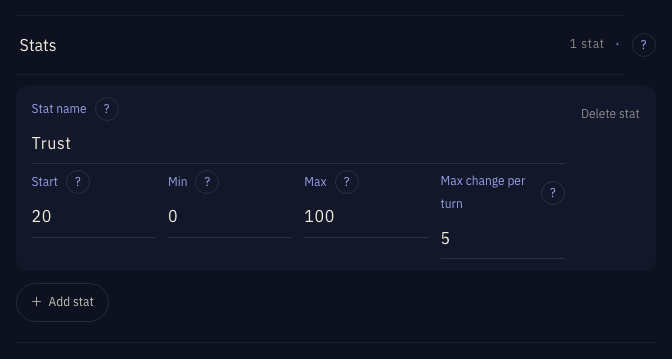
Stats
Stats track values that change during interaction. Add as many as the play needs. When adding one, enter a name, then set its range, starting value and the most it may change in one turn; how it rises and falls is judged from the narration.
- Stat name
- The model reads this name. Use the same name when referencing it elsewhere.
- Start, Min, Max
- Set the range and the value at the start of play.
- Max change per turn
- The maximum increase or decrease in one turn, not a fixed change each time.
Trust: range 0–100, starts at 20, changes by at most 5 per turn.
Bond Cards
Under Advanced, select Bond cards to open it, then select + to add one.
Select a card to edit its card name, bond condition, and card art.