Balance & allowances
Check your balance and distinguish allowances from purchased coins.
Check your balance
Open Settings → Account → Usage & billing to view your balance, plan, and spending. Recharge in the navigation also opens purchasing options.
Your available balance pays for model generation and AI images. Check the account page for current amounts and plan details.
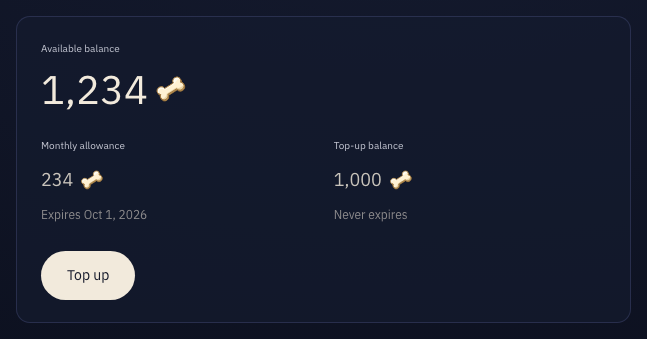
Allowances and purchased coins
- Free and monthly allowances
- Granted per cycle with an expiration date. Unused amounts expire. The cycle allowance shown is the amount granted, not the remaining balance.
- Purchased coins
- One-time purchases remain available without a cycle expiration and can be used alongside allowances.
- Deduction order
- Cycle allowances are used before purchased coins, with the earliest-expiring allowance used first.
Insufficient balance and amounts due
A zero or negative balance prevents new generation. Final costs may settle after generation ends and can make the balance negative. New purchases or cycle grants first offset a negative balance.
An amount due in usage records is an uncollected charge shown separately from the balance. Inspect records to compare the assessed cost, collected amount, and amount due.