Chapter configuration
Chapter description, opening, AI-only text, completion condition, characters present, and Achievements.
Chapter name, picture, and description
A Chapter is an event players can take part in and progress through. It can cover a meeting, a task, or a change in a relationship. Multiple Chapters can share a location.
Add an entry under Chapters. Its name identifies this part of the World, while its description summarizes the current situation for the model.
Select Upload picture to give the Chapter an image.
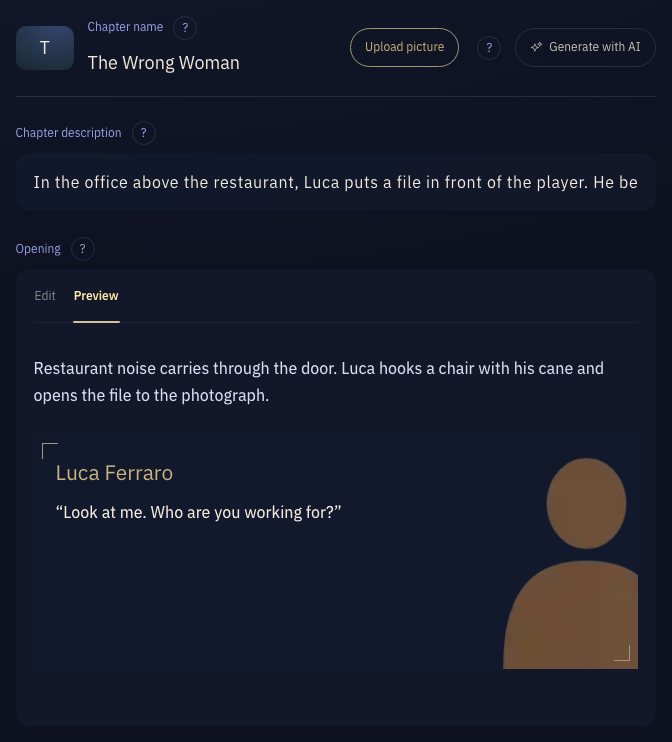
Chapter name: The Wrong Woman Chapter description: In the office above the restaurant, Luca puts a file in front of the player. He believes she leaked information, but has not verified the identity and address in the file.
Opening
The first Chapter requires an opening, which players see directly on entering the World. Describe the immediate situation and what Characters are doing so players have a starting point for interaction.
Openings in later Chapters are references for the model. The transition uses the player’s experience so far and may not reproduce the opening verbatim.
Select Preview to see what players will read. Lines with a portrait show the portrait.
Restaurant noise carries through the door. Luca hooks a chair with his cane and opens the file to the photograph.

@Luca Ferraro{Look at me. Who are you working for?}AI only
Where this Chapter is heading, its surroundings, and its secrets. Only the model reads this.
Players never see this part.
Completion and order
The completion condition states when this part of the experience is complete. The system checks what actually happened and advances to the next Chapter in the list once it is met.
Every non-final Chapter requires a completion condition. The last Chapter can have one or remain open-ended. Meeting a final condition displays a completion marker while allowing continued interaction.
Drag Chapters in the list to reorder them. For stages that must occur in sequence, use separate Chapters with their own completion conditions.
Luca verifies that the file is wrong, explicitly acknowledges taking the wrong woman, and releases the player from restraint.
Characters present
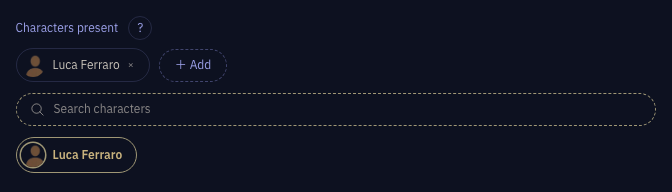
Select + Add and pick the Characters who take part in this Chapter.
With many Characters, use the search box to narrow the list.
Achievements
Under Advanced, select Achievements to open it, then select + to add one.
Select one to edit its achievement name, completion condition, and achievement art.